“Where did my 40 GB go?”
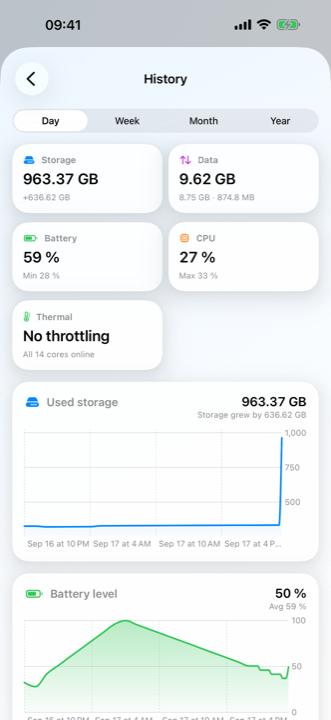
Every partition with its mount point and size, and a chart of used space by day — so you can see the exact evening it filled up.
The system monitor for Apple devices
Omnistat reads the numbers iOS keeps to itself — every core, every partition, every byte of traffic, every sensor — and puts them on one screen, in your widgets and on your wrist.
Free to use. History, alerts and the speed test are part of Omnistat Pro.
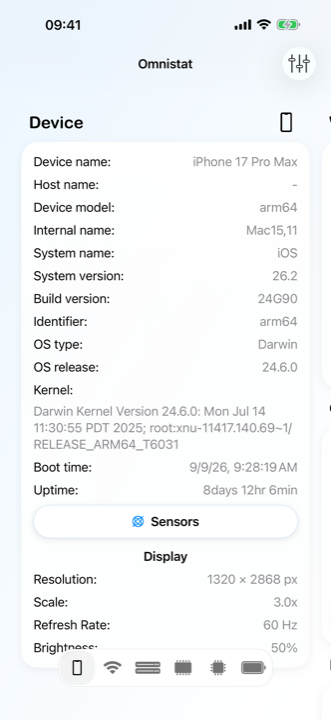
Device
The identity sheet iOS never shows you: what the hardware is, what it is running, and how long it has been up.
Wi-Fi & cellular
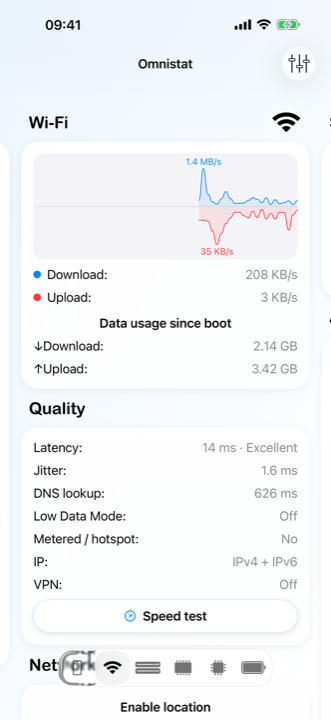
Four bars tell you nothing about a call that stutters. Omnistat measures the connection instead of drawing it.
Performance
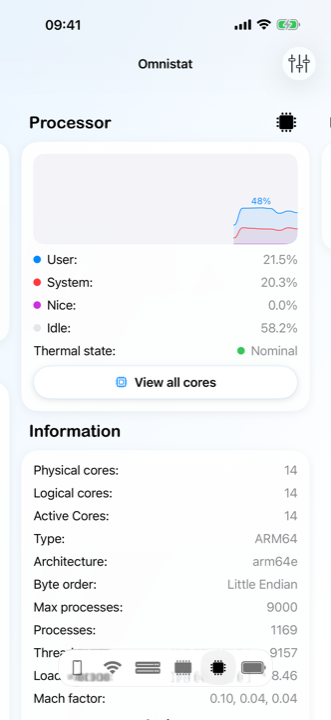
Where the work is going and what the heat is doing to it, core by core.
Sensors
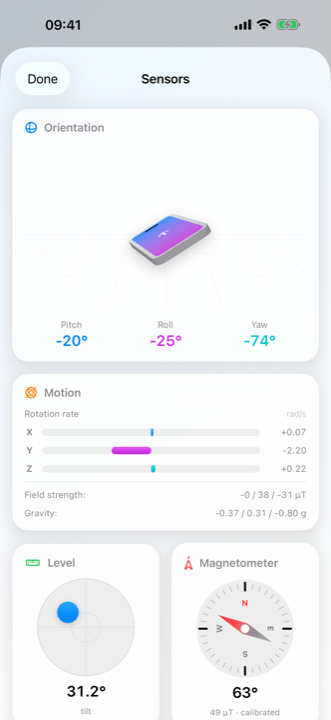
A model of your device that moves as you move it, with the instruments that feed it underneath.
History Pro
Omnistat samples in the background, so a storage cliff or a battery draining faster than last week is visible before it bites.
Speed test Pro
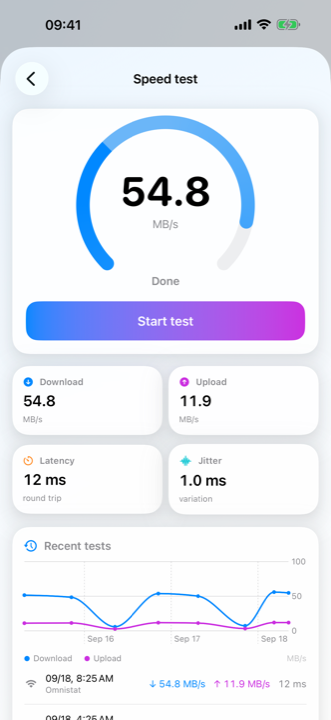
Parallel streams against public endpoints, so the number reflects the line and not one socket — in the unit you picked.
Alerts Pro
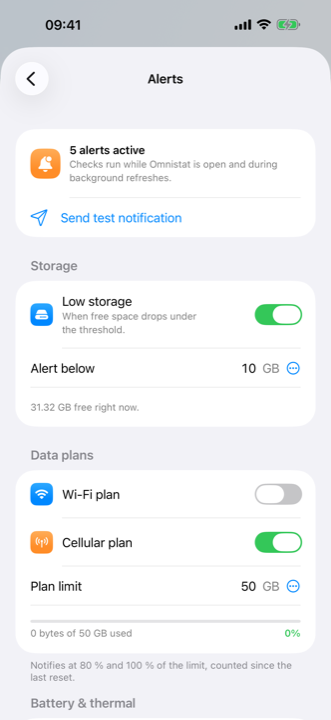
Thresholds you set once, checked while the app runs and during background refreshes.
Why people install it
Settings gives you a pie chart and a percentage. Omnistat gives you the number, where it came from, and what it was doing yesterday.
Every partition with its mount point and size, and a chart of used space by day — so you can see the exact evening it filled up.
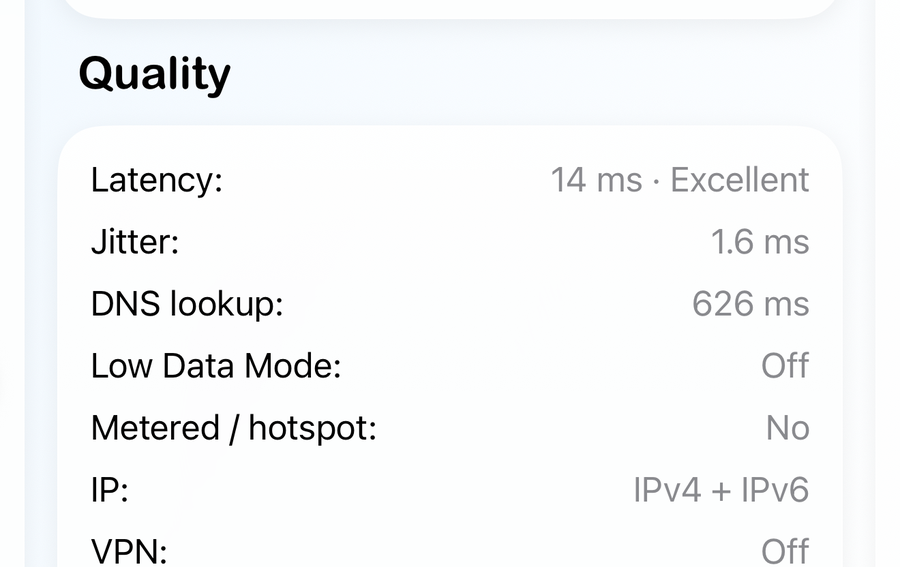
Latency, jitter and DNS lookup time on the connection you are actually using. Four bars can look perfect while jitter ruins the call.
Charge recorded over days and weeks, beside the thermal state and active-core count that explain a bad afternoon.
Wi-Fi and cellular traffic counted per billing period from your own reset day, with a warning at 80 % and at 100 %.
The read-out
Every figure comes from the system itself, refreshed while you watch. Three of them are worth seeing up close.
Network
A full signal bar and a stuttering call are perfectly compatible. Omnistat times the connection instead of drawing it: how long a packet takes to come back, how much that varies, and how long a name takes to resolve — on Wi-Fi and on cellular alike.
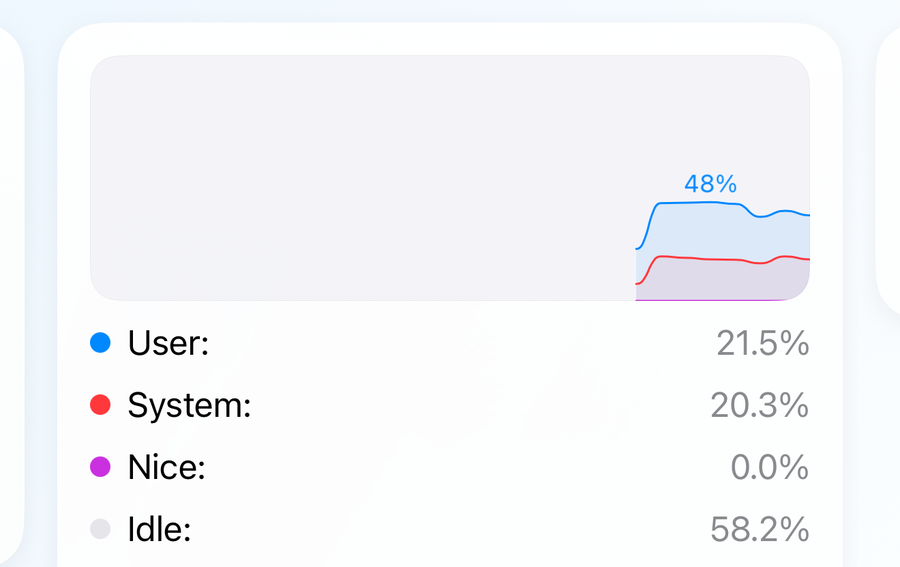
Performance
Fourteen cores, each with its own load, next to the split between your apps and the system — and the thermal state that decides whether all of them are still running. When the phone slows down, this is the screen that says why.
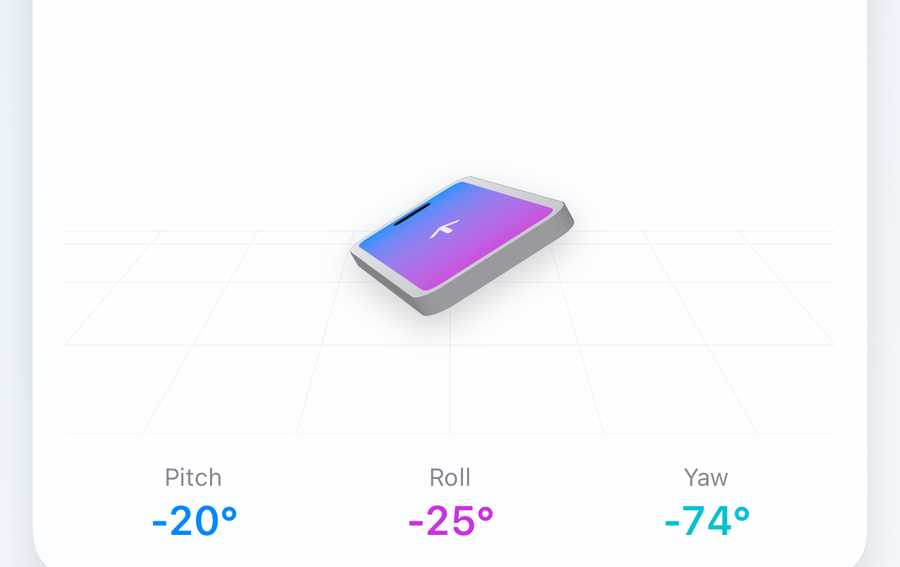
Sensors
The accelerometer, gyroscope, magnetometer and barometer are in your hand already. Omnistat draws them: a 3D model that follows your device in real time, a level that adapts when it is not flat, a compass, and altitude from air pressure.
Not only in the app
Storage, battery, memory or data used, in small, medium and inline sizes.
Controls for the values you check most, straight from Control Center.
Your iPhone's storage, battery and memory on the watch face.
Read a value aloud, open the sensors, or start a speed test by voice.
Pricing
The read-outs, the widgets, the Watch app and the Shortcuts cost nothing. Pro pays for the parts that keep working while the app is closed.
| What you get | Free | Pro |
|---|---|---|
| Live read-outs: device, network, storage, memory, CPU, GPU, battery | ● | ● |
| Sensors: 3D orientation, level, compass, barometer | ● | ● |
| Widgets, Control Center, Apple Watch, Siri & Shortcuts | ● | ● |
| History & trends by day, week, month and year | — | ● |
| Smart alerts: storage, data plan, thermal, battery, traffic | — | ● |
| Speed test, with its own history | — | ● |
| Billing periods on your own plan dates | — | ● |
Questions
Yes. Every live read-out, the widgets, the Apple Watch app and the Shortcuts actions are free and always have been. Omnistat Pro adds history, alerts and the speed test.
A monthly or a yearly subscription, each starting with a one-week free trial, or a one-time lifetime unlock. Prices are set per region and shown in the app and on the App Store before you confirm anything.
No. There is no sign-up, no login and no profile — Omnistat has no server of its own.
Nowhere. Readings, history and speed-test results are written to the app’s own storage on your device and stay there. The privacy policy lists the only things that leave: anonymous usage statistics, crash reports, and the requests the speed test itself has to make.
Because iOS only reveals the name and address of the Wi-Fi network you are on to apps with location access. Your position is never read, stored or transmitted, and refusing simply hides the network name.
It samples during the short background refreshes iOS schedules for the app. There is no continuous process and no background location.
Yes. Omnistat runs on iPhone and iPad, as a Mac app, and on Apple Watch with complications showing your iPhone’s storage, battery and memory.
It measures against Cloudflare’s public endpoints over several parallel streams, which is how a real download behaves. Every speed test depends on the route and the moment, so treat one run as a sample and the history as the answer.
Support
Omnistat is made by one developer. Questions, bug reports and requests for a value the app does not read yet all go to the same address.
Sending feedback from Settings attaches a diagnostic file, so the answer comes faster.
What stays on your device, what leaves it, and the terms the app is licensed under.
Free to download, with Omnistat Pro as an in-app purchase.

Free on the App Store, for iPhone, iPad, Mac and Apple Watch.